
For Android,Coming to Google Play
Open the zip. Find your files.
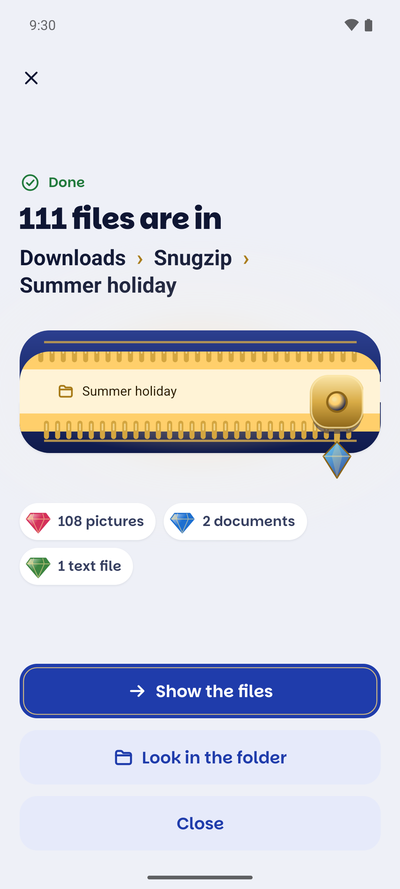
Snugzip opens the zip, RAR and 7z files people send you, shows what is inside, and says plainly where your files went.
- 108 pictures
- 2 documents
- 1 text file
No account. No ads. No file uploads.
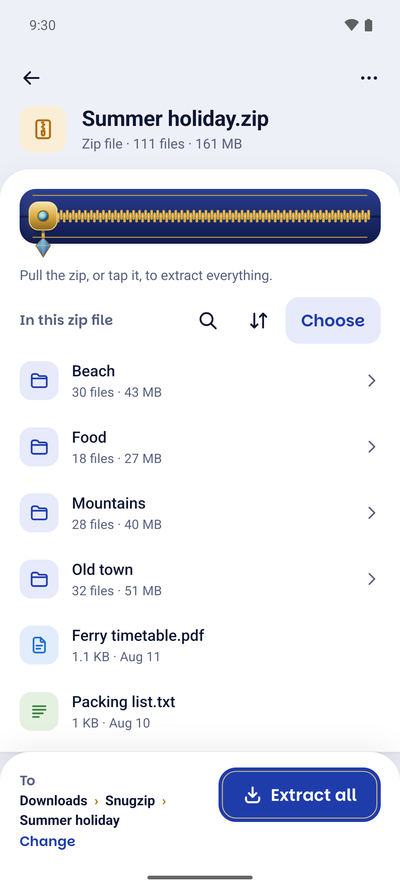
What it opens
The zip files people send you, and RAR and 7z too
With or without a password. Tap the file where it arrived and choose Snugzip, share it to Snugzip, or open it from Snugzip itself.
- zip
- RAR
- 7z
- tar
- gz
- bz2
- xz
- zst
- Locked files open tooEnter the password, then extract.
- Files in several partsRAR and 7z files that come in parts: choose all the parts together.
- Names in other alphabetsWith a choice of how to read them.

How it goes
From the zip file to your files
Real screens of Snugzip on Android, in the order you meet them.
-
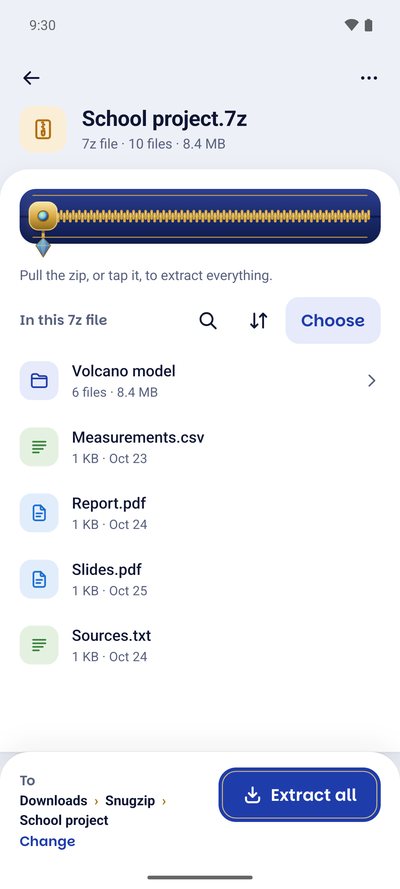
Open it
See what is inside: folders, sizes and dates. Sort, or find a file by name.
-
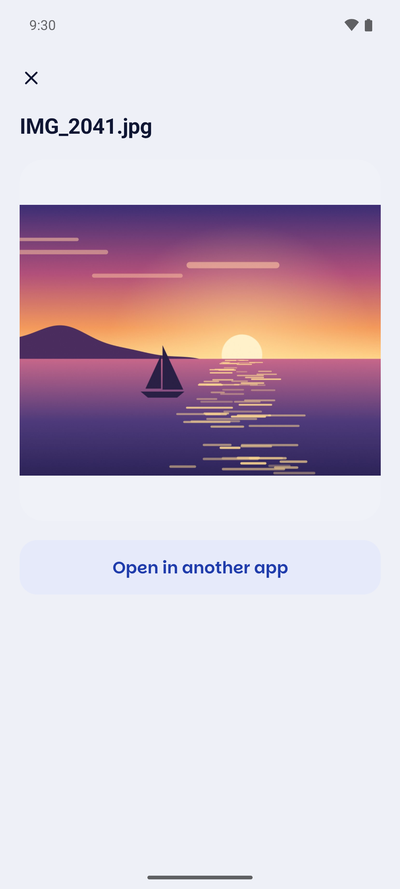
Look before you extract
See a picture or read a text file on its own, without extracting the rest.
-
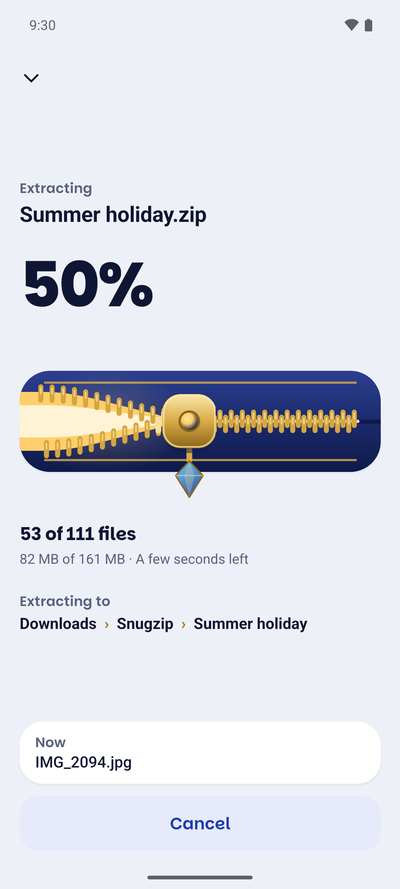
Pull the zip
Pull it, or tap it, to extract everything. It opens as the work goes.
-
See where they went
Snugzip names the folder, and Show the files opens it in your phone’s Files app.
-
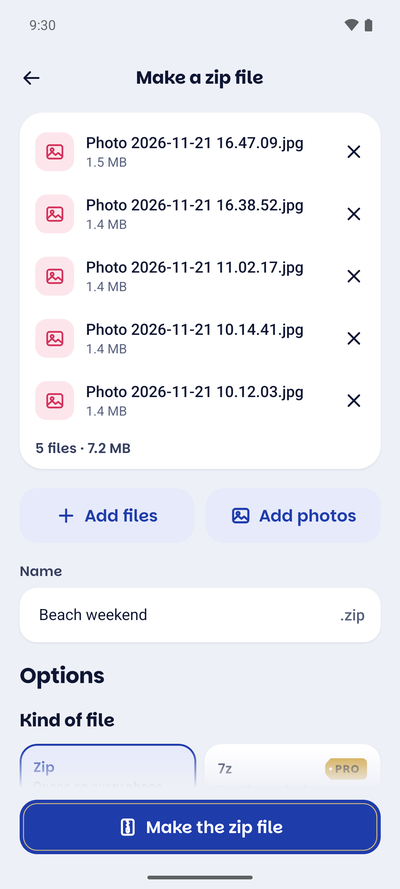
Make a zip file
Pick files or photos, name the zip file, and share it.


Where your files go
Your files, where you can find them
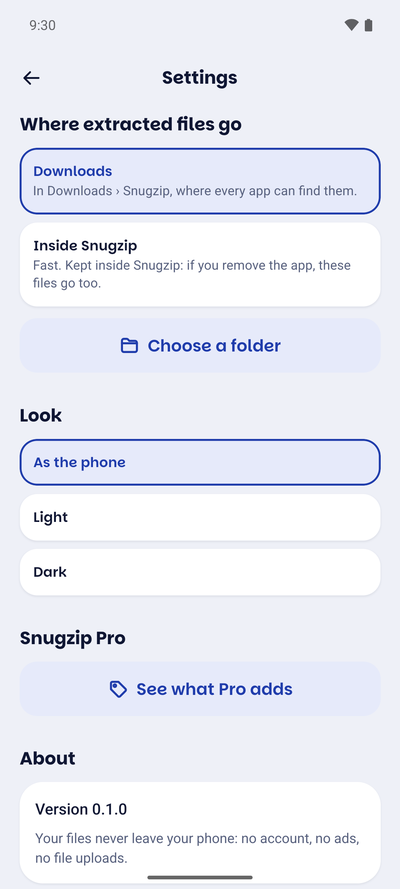
Every result says the folder in plain words. You choose the place in Settings.
- Downloads DefaultIn Downloads , Snugzip, where every app can find them.
- Inside SnugzipFast. Kept inside Snugzip: if you remove the app, these files go too.
- A folder you choosePick a folder, and your files go there.
More than about 1,000 files? Snugzip says how long it would take into Downloads and inside Snugzip, and lets you choose. On Android 7 to 10, files go inside Snugzip or into a folder you choose.
Free
Opening, extracting and making plain zip files are free
No account to make, and no ads in the way.
-
Zip, RAR, 7z and tar files
Open zip, RAR, 7z and the tar family (tar, gz, bz2, xz, zst), with or without a password.
-
Look inside first
Folders, sizes and dates. Sort, and find by name, even in a list of 100,000 files.
-
One file on its own
See a picture or read a text file without extracting the rest.
-
All of it, or a few
Extract everything, or only the files you choose.
-
The place, said plainly
Into Downloads, inside Snugzip, or a folder you choose, and afterwards Snugzip says where.
-
Files in several parts
RAR and 7z files in several parts. Snugzip names any part that is missing.
-
Names in other alphabets
Names written in other alphabets, with a choice of how to read them.
-
Long jobs keep going
In the background, with a notification and Cancel. Work a closed app left unfinished is offered at the next start.
-
Careful with harmful files
Names that point outside the folder are left out, and a file that unpacks to far more than it should is stopped.
-
Make a zip file
From files or photos, and share it.
-
Light and dark
Light or dark as your phone is set, or as you choose in Settings.
-
Phone and tablet
On a tablet, the list of files gets the room it needs beside the zip.
Phone and tablet
Phone or tablet, day or night
On a tablet the list of files gets the room it needs. At night Snugzip turns dark with your phone, or stays light if you prefer.


Snugzip Pro
One purchase, no subscription, bought inside the app.
Everything above is free. Pro adds more ways to make files, and help with a damaged one.
- PasswordsMake a zip or 7z file with a password, and hide the names in a 7z.
- More kinds to makeMake 7z, tar.gz, tar.xz and tar.zst files, and choose how small.
- PartsSplit a new file into parts of a size you choose.
- Several at onceExtract several zip files in one go.
- A damage checkCheck a file for damage, and save what can be saved.
Privacy
No account. No ads. No file uploads.
Your files stay on your phone.
-
Your files stay with you
Snugzip opens, extracts and makes zip files on your phone. It never sends a file, or a file’s name, anywhere.
-
Online only for Snugzip Pro
If you never open the Pro screen, Snugzip sends nothing at all. Opening it asks Google Play and RevenueCat (which checks purchases for the app) about Snugzip Pro, and buying sends them the purchase’s record.
-
Nothing to sign up for
No account, no sign-in, no ads, and no analytics of how you use the app.
Not out yet
Coming to Google Play
Snugzip is getting ready for its first release, for Android phones and tablets with Android 7.0 or later. Until it is on Google Play there is nothing to install from this site.
Questions in the meantime? Write to support@snugzip.com